The 2-Minute Approval Delegation Tip: Set an Auto-Approver Before You Go on Leave
A quick VegaHQ tip: set an auto-approver before your leave to prevent stalled approvals.
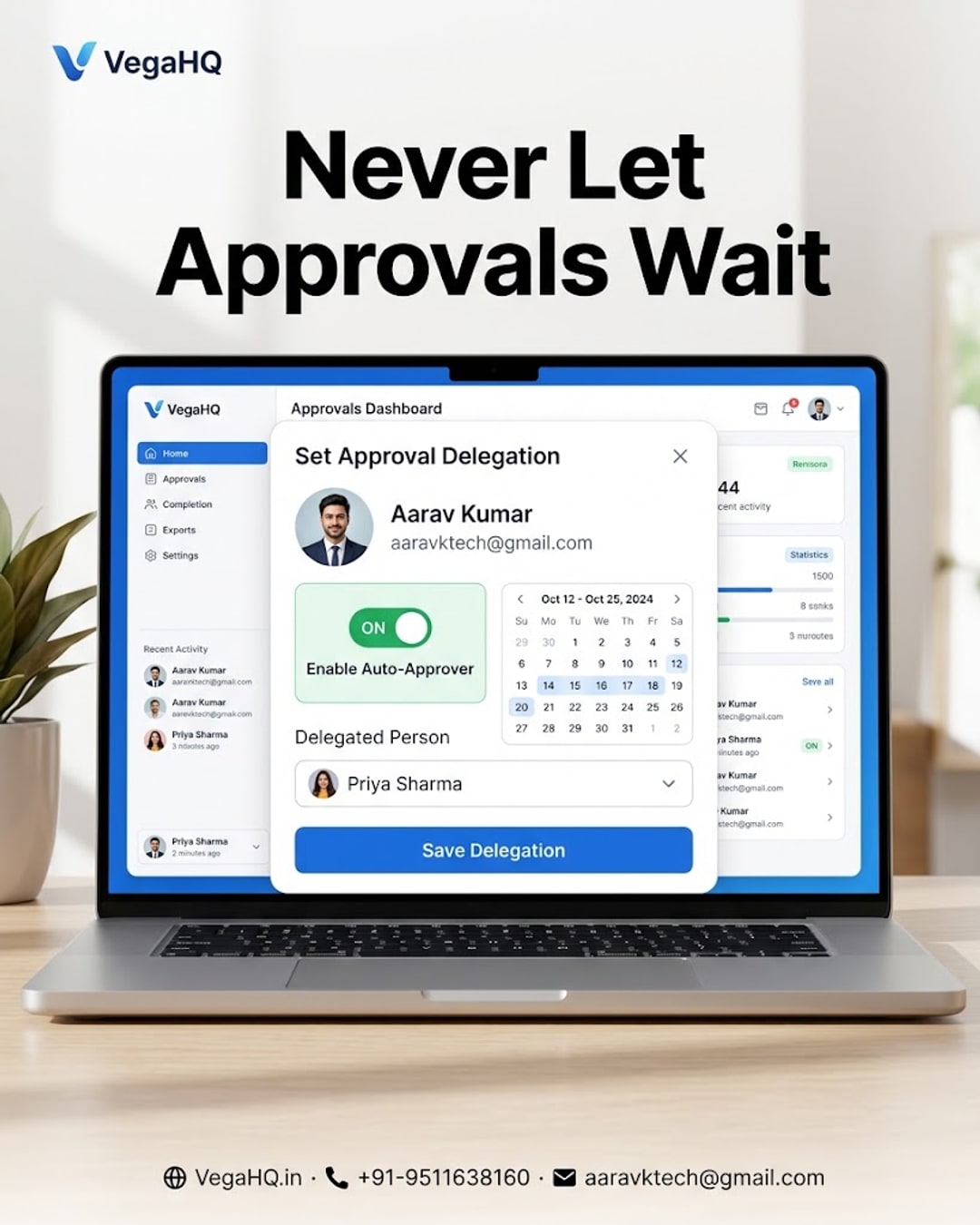
The 2-Minute HR Habit That Stops Approvals From Stalling While You're on Leave
Ever come back from a few days off to find a pile of pending leave requests, expense claims and sign-offs sitting untouched because everything routed to you and only you? It's one of the most common — and most avoidable — productivity leaks in growing teams. The fix takes about two minutes, and it's something most managers simply forget to set up: approval delegation.
01Why approvals stall in the first place
Most HR and workflow tools route every approval to a single manager by default. That works fine on a normal day, but the moment that manager is on leave, traveling, or simply unreachable, the entire chain freezes. Employees wait, deadlines slip, and by the time the manager is back, there's a backlog to clear on top of their regular work.
02Setting up an auto-approver in VegaHQ
VegaHQ's workplace automation platform includes a simple delegate approvals feature built exactly for this. Before you go on leave, open Settings, tap Delegate Approvals, choose a trusted backup approver, and set the date range you'll be away. From that point until your return date, any leave request, expense claim, task approval or workflow sign-off that would normally land on your desk automatically routes to your backup instead — no manual forwarding, no employees left guessing.
03Why this small step matters more than it seems
A single missed approval rarely feels urgent in the moment, but multiply it across a team of 30, 50 or 200 people and the hours lost to waiting add up fast. Approval delegation isn't a big feature announcement — it's a quiet habit that keeps operations moving no matter who's in or out of office. It also builds trust: employees see that leave requests and claims get handled on time, every time, regardless of any one person's schedule.
04Making it a habit, not a one-off
The easiest way to make this stick is to pair it with your leave request itself. When you apply for your own leave in VegaHQ, set your auto-approver in the same sitting — it takes less time than writing the leave reason. Over a few cycles, it becomes second nature, and your team stops noticing when you're away because nothing actually stops.
My take: if you're a manager who approves anything — leave, expenses, purchase requests, task sign-offs — and you don't already have a backup approver set for your next time off, set one up today. It costs you two minutes and saves your team days of waiting. For businesses still juggling this manually over email or WhatsApp, this is one of the simplest, highest-return features to switch on inside VegaHQ.
Give HR its AI upgrade
Attendance, payroll, performance and recognition — unified, automated and always in sync.
Comments
Join the conversation — share your thoughts below.
Be the first to comment.